

Basics
QR code vs barcode: which one do you actually need?
By OpenQR · updated 24 June 2026
8 min read · Updated 24 June 2026
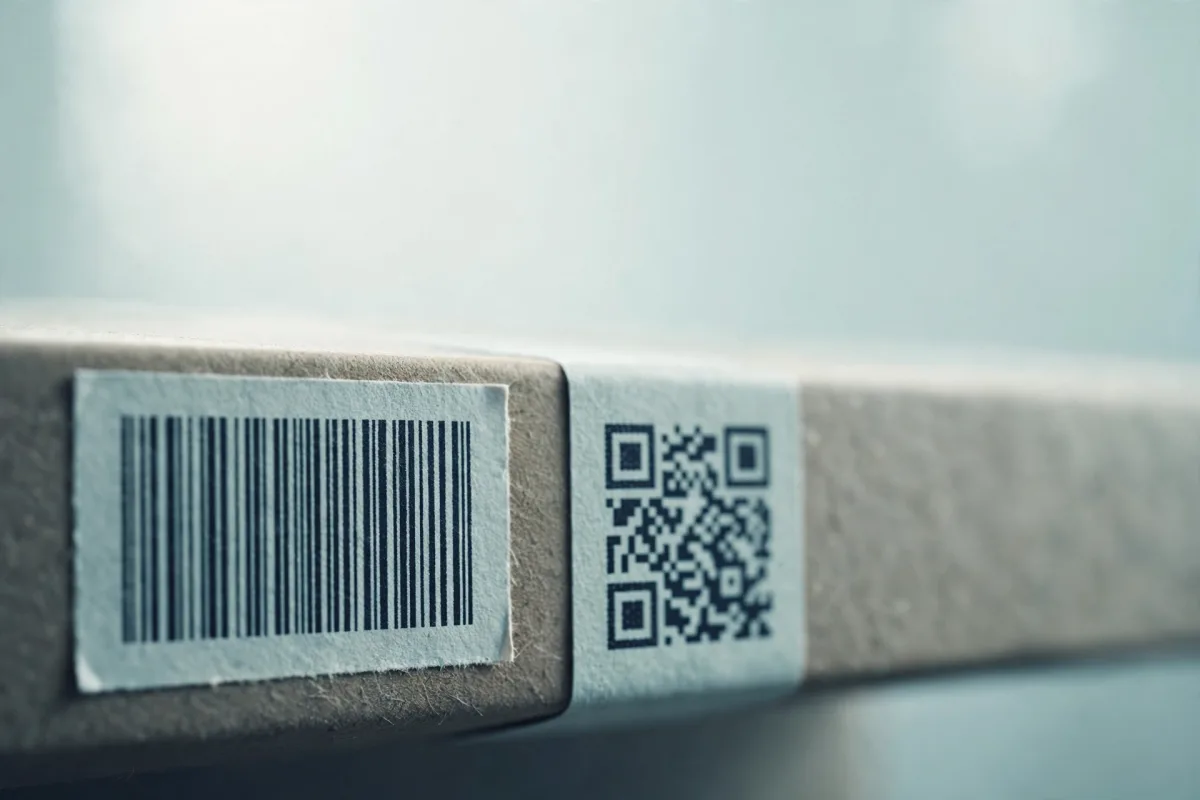
People often use ‘barcode’ and ‘QR code’ interchangeably, but technically a QR code is a type of barcode — a two-dimensional one. The familiar striped code on a tin of beans is a one-dimensional barcode. That single difference, 1D versus 2D, drives almost everything else about how the two behave.
The core difference: 1D vs 2D
A traditional barcode (like UPC or EAN) is linear, or one-dimensional. It stores data in the varying widths of vertical bars and spaces, read across in a single direction. All the information lives along one axis — the height of the bars is just there to make scanning easier.
A QR code is a matrix, or two-dimensional barcode. It stores data in a grid of squares (modules) both horizontally and vertically. Because it uses two dimensions, it packs vastly more information into the same footprint, and it can be read from any angle thanks to its corner finder patterns. (For a full breakdown of how a QR code is built, see what is a QR code.)
Side-by-side comparison
| Feature | Traditional barcode (1D) | QR code (2D) |
|---|---|---|
| Dimensions | Linear, read in one direction | Matrix grid, read in two directions |
| Typical data capacity | Around 20–25 characters | Up to ~4,000 alphanumeric / ~7,000 digits |
| Data types | Mostly numbers, some letters | Numbers, text, URLs, Wi-Fi, contacts, and more |
| Error correction | Minimal — a check digit at most | Reed–Solomon, recovers up to ~30% damage |
| Reading angle | Must be roughly aligned | Any orientation, including upside down |
| Scanned by | Dedicated laser/imager scanners | Any modern phone camera |
| Footprint | Wide; needs horizontal room | Compact square |
| Standard | UPC, EAN, Code 128, etc. | ISO/IEC 18004 |
Data capacity: the headline gap
A standard retail barcode holds a short number, typically a product identifier of around 12 to 13 digits, which a till then looks up in a database. It isn’t meant to carry meaningful content itself; it’s a pointer.
A QR code carries the content directly, up to roughly 4,000 alphanumeric characters or 7,000 digits: a full web address, a Wi-Fi password, a complete contact card, or a paragraph of text. That’s why QR codes do useful things on their own (open a menu, join a network, save a contact) without any back-end lookup.
Error correction: resilience to damage
Traditional barcodes are fragile. They have little or no built-in error correction — usually just a single check digit to catch a misread — so a scuff, smudge, or tear across the bars can render them unreadable.
QR codes use Reed–Solomon error correction, with four selectable levels (L, M, Q and H) that nominally recover 7%, 15%, 25% and 30% of the data. Recovery is counted in lost data codewords rather than area, so the measured share of the code you can obscure is lower: codes at L, M, Q and H still read with 3%, 6%, 12% and 15% of their area blanked out. That resilience is what lets a QR code keep working when it’s partly torn, dirty, or has a logo placed over the middle: the basis of branded QR codes.
Why orientation matters less for QR
A 1D barcode generally needs to be reasonably aligned with the scanner. A QR code’s three corner finder patterns let a reader detect its position and rotation instantly, so it scans from any angle, upside down included, without aiming.
When to use a traditional barcode
Linear barcodes are still the right tool in plenty of cases, and they aren’t going anywhere:
- Retail point of sale — UPC/EAN codes are the global standard scanned at tills worldwide
- Inventory and logistics — fast, cheap, and read reliably by dedicated laser scanners
- Anywhere a short ID is enough — when the code just needs to point at a database record
- High-speed automated lines — laser scanners read linear codes extremely quickly
When to use a QR code
Reach for a QR code whenever a phone is the intended reader, or when you need to store more than a simple number:
- Linking print to the web — posters, packaging, flyers, and adverts that send people to a page
- Wi-Fi sharing — let guests connect without typing a password (how to make a Wi-Fi QR code)
- Menus and ordering — common in hospitality (restaurant menu QR codes)
- Business cards — encode full contact details to save in one tap (QR codes for business cards)
- Payments and tickets — where richer, self-contained data is needed
You can’t make a UPC for retail with a QR tool
If you need a retail barcode for selling products, that number is issued by GS1 and isn’t something you self-generate. QR code generators like OpenQR create 2D codes for linking, Wi-Fi, contacts and the like — not retail product barcodes.
Do QR codes replace barcodes?
Not really — they coexist. The humble linear barcode remains the backbone of retail and supply chains because it’s simple, cheap, and perfectly suited to scanning a short product ID at speed. QR codes win wherever the reader is a phone and the goal is richer interaction. Increasingly you’ll see both on the same packaging: a barcode for the till and a QR code for the customer.
Whichever you choose, output quality matters for print. A 2D QR code in particular benefits from a crisp vector file at larger sizes — our guide to PNG, SVG and PDF formats explains which to pick, and our no-watermark guide covers the catches in many ‘free’ tools.
Generate a free QR codeStatic, watermark-free 2D codes made in your browser. No account needed.