

Basics
NFC vs QR code: a practical comparison
By OpenQR · updated 24 June 2026
9 min read · Updated 24 June 2026
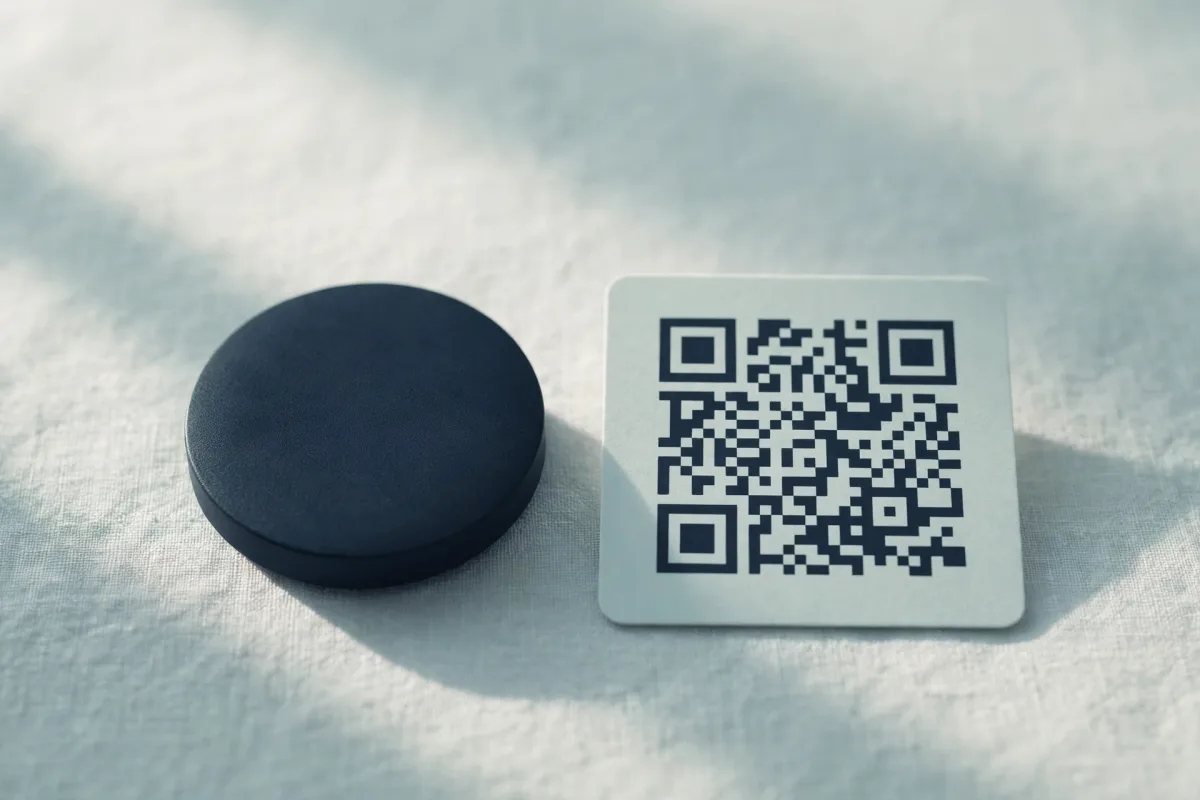
Both NFC and QR codes bridge the gap between something physical — a poster, a business card, a product — and digital content like a web page or a contact card. The headline difference is the technology underneath. A QR code is an image: a printed pattern of squares that a camera reads. NFC (Near Field Communication) is hardware: a small chip with an aerial that a phone powers and reads when you hold them together. That single distinction shapes cost, range, durability and where each one makes sense.
How each one works
A QR code is a two-dimensional barcode defined by the ISO/IEC 18004 standard. The data — a URL, Wi-Fi details, contact card and so on — is encoded directly into the black-and-white grid, which a phone camera decodes optically. There is no electronics involved at all; it is just ink on a surface (or pixels on a screen). If you want the full breakdown, see our guide on what a QR code is.
An NFC tag is a passive chip — no battery — embedded in a sticker, card or keyring. When a phone with NFC comes within a couple of centimetres, the phone's reader generates a small electromagnetic field that powers the chip, which then transmits its stored data back. You tap rather than scan. Crucially, NFC is a radio technology, not an image, so there is nothing visible to read.
Tap, don't scan
The simplest way to remember the difference: QR codes are scanned with the camera at a distance, NFC tags are tapped at very close range. They are genuinely different technologies that happen to serve similar goals.
Side-by-side comparison
| Feature | QR code | NFC tag |
|---|---|---|
| What it is | Printed/displayed image | Physical chip with aerial |
| How it's used | Scanned with a camera | Tapped at close range |
| Range | From a few cm up to several metres | Roughly 0–4 cm |
| Cost per unit | Free to create and print | Typically £0.10–£1+ per tag |
| Works on paper/screen | Yes — print or display anywhere | No — needs a physical chip |
| Hardware needed | Any modern phone camera | A phone with NFC enabled |
| Reusable / editable | Static codes are fixed; reprint to change | Often rewritable in place |
| Visible to the eye | Yes | No (hidden inside the object) |
| Standard | ISO/IEC 18004 | ISO/IEC 14443 / NFC Forum specs |
Cost: the deciding factor for most people
A QR code costs nothing to produce: generate the image once and print it as many times as you like, on anything from a single business card to a million flyers. An NFC tag is a manufactured object, so every single one costs money, anywhere from around ten pence in bulk to a pound or more for a quality programmable tag. For scale (packaging, posters, mass mailings) that is the whole argument.
Range and interaction
NFC only works at a whisker's distance, typically under four centimetres. That is by design — it makes the interaction deliberate and hard to trigger by accident. QR codes are far more flexible: a phone can read a small one held close, or a large one across a room. That is why QR codes dominate on posters, shop windows, restaurant tables and billboards, where the reader may be metres away.
Hardware support
Every smartphone made in the last decade has a camera, and modern iPhones and Android phones read QR codes natively from the camera app — no extra app required. NFC is more variable. Most mid-range and flagship phones include it, but some budget models do not, and on a few devices NFC reading needs to be enabled in settings or triggered through an app. In short: QR codes have near-universal reach, while NFC reaches most but not quite all phones.
Security
Neither technology is inherently safe or unsafe — what matters is where the link or data takes you, and both can be misused. A malicious actor can sticker a fake QR code over a real one, or place a rogue NFC tag. The practical difference is that a QR code is human-inspectable (you can at least see the preview URL before tapping it on most phones), whereas an NFC tag is invisible, so you cannot tell a tampered surface by looking. With both, the golden rule is to check the destination before you act on it.
NFC is not the same as 'a QR code on a chip'
A common misconception is that NFC and QR are interchangeable. They are not — different standards, different readers, different physics. A QR generator like OpenQR produces image-based codes; it cannot program an NFC chip, which requires the physical tag and a writer app.
Use cases: when to choose which
Reach for a QR code when:
- You are printing at any scale — flyers, posters, packaging, menus or mailers where per-unit cost matters
- You expect the reader to be at a distance, such as a shop window or billboard
- You want it to work on the widest possible range of phones with zero setup
- You are sharing details on a business card and want it to cost nothing (see QR codes for business cards)
- You need a digital menu customers can open from their seat (restaurant menu QR codes)
Reach for an NFC tag when:
- You want a premium, tactile interaction — a tap-to-share networking card or a smart product label
- You are producing in low volume, so per-tag cost is not a problem
- You want to update what the tag does without reprinting anything
- You are building contactless payments or access control, where a deliberate close-range tap is the point
Why not both?
Plenty of products use the two together. A premium business card might carry an NFC chip for a slick tap-to-save and a printed QR code as a reliable fallback for any phone without NFC. Because QR codes are free to generate, adding one as a backup costs nothing — there is rarely a reason not to. For more on how QR codes stack up against linear codes, see our QR code vs barcode comparison.
If you do go the QR route, it is worth getting the basics right. A crisp vector file keeps a printed code sharp at any size — our guide to PNG, SVG and PDF formats covers which to choose, and if scanning ever fails, why your QR code is not scanning walks through the common culprits.
Create a free QR codeStatic, watermark-free codes made in your browser. No account, no per-scan cost.