

Basics
What is a QR code, and how does it actually work?
By OpenQR · updated 24 June 2026
8 min read · Updated 24 June 2026
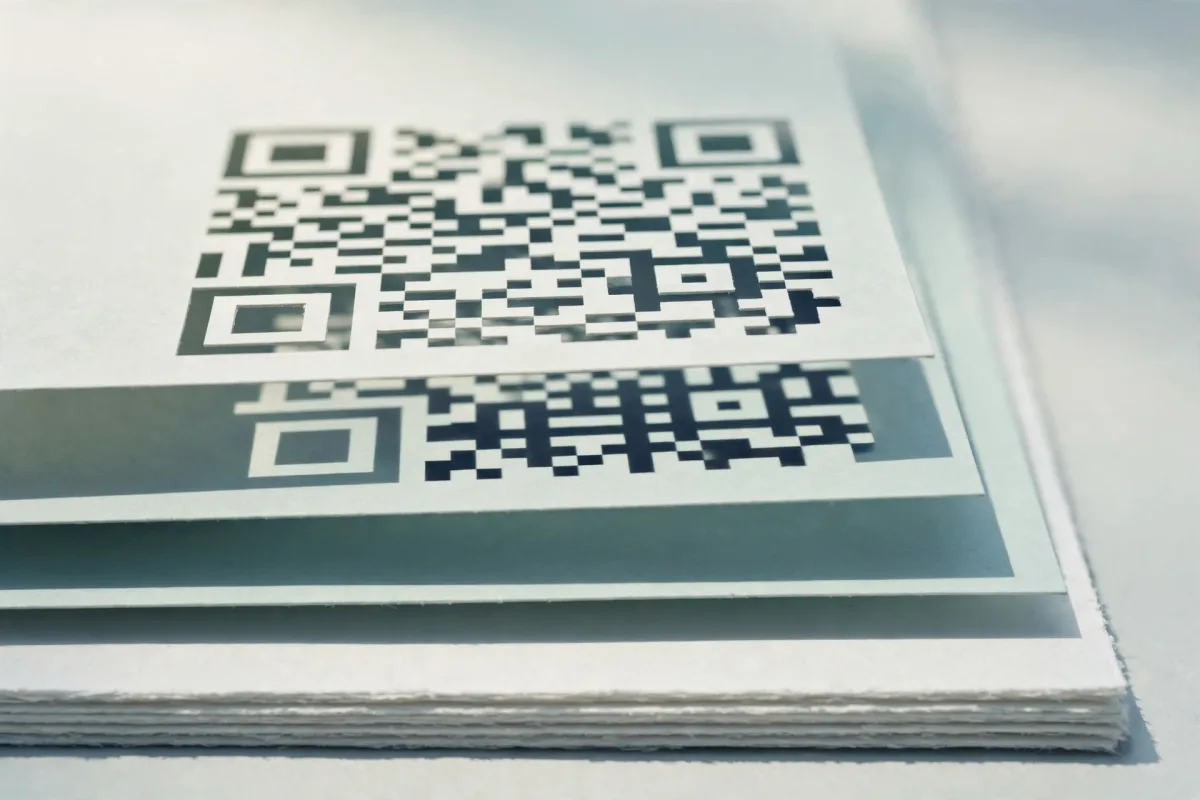
“QR” stands for Quick Response, and the name is the point: the format was designed to be read fast, from any angle, even when part of it is damaged or dirty. Unlike the striped barcodes on supermarket products, a QR code stores information both horizontally and vertically, which is why it can pack hundreds or thousands of characters into a space the size of a postage stamp.
What a QR code actually is
A QR code is a matrix barcode: a square grid of small cells called modules, each dark or light to represent a binary 1 or 0. A scanner reads the pattern of modules, reconstructs the underlying data, and hands it to your phone as text, a web address, Wi-Fi credentials, or whatever else was encoded.
The format is an open international standard, ISO/IEC 18004, so any compliant generator and any compliant reader understand each other with no proprietary lock-in. A code made with one tool scans in any standards-compliant app, which is why QR codes work as a common language between print and phones.
How a QR code works, part by part
Every QR code carries five structural regions a scanner reads before it touches the data: three finder patterns, the timing and alignment patterns, a quiet zone, format and version information, and the data area itself.
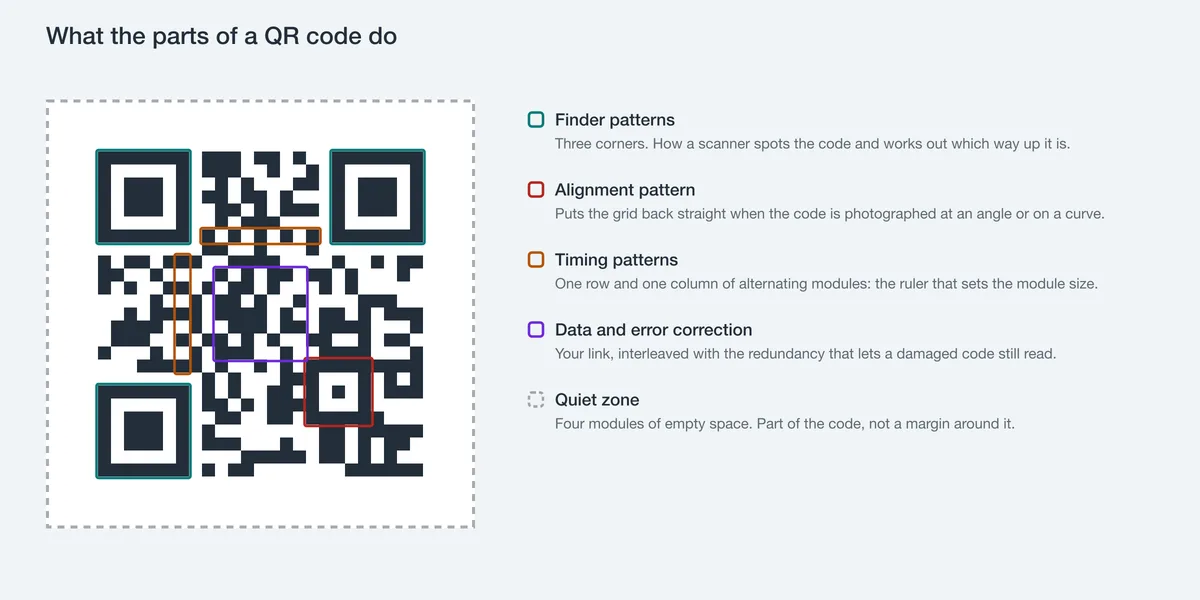
The main components, from the outside in:
- 1
Finder patterns
The three large square ‘eyes’ in the top-left, top-right and bottom-left corners. They let a scanner instantly locate the code and work out its orientation — which is why you can scan a QR code upside down or at an angle and it still works.
- 2
Alignment & timing patterns
Smaller squares and the dotted lines running between the finders. These correct for distortion when the code is printed on a curved surface or photographed at a tilt, keeping the grid in register.
- 3
Quiet zone
The blank margin around the code, ideally at least 4 modules wide. It separates the code from surrounding text or imagery so the scanner can isolate it. Crowd it and scans become unreliable.
- 4
Format & version information
Strips next to the finder patterns that tell the reader the code’s size (its ‘version’, from 1 to 40) and which error correction level was used.
- 5
Data & error correction modules
Everything else — the bulk of the pattern — holds the encoded payload plus redundancy used to recover from damage.
Error correction: why a torn code still scans
The clever part is the redundancy. QR codes use Reed–Solomon error correction, the same family of maths used on CDs and in deep-space transmissions. Extra ‘check’ data is woven into the code so that if some modules are missing, smudged, or covered, the reader can mathematically reconstruct the original message.
You choose how much redundancy to bake in, via four error correction levels:
| Level | Approx. recovery | Best for |
|---|---|---|
| L (Low) | ~7% | Clean digital screens, maximum data density |
| M (Medium) | ~15% | General print, the common default |
| Q (Quartile) | ~25% | Codes likely to get scuffed or marked |
| H (High) | ~30% | Codes with a logo in the middle, or harsh environments |
This is why logos work
A logo placed in the centre of a QR code effectively ‘damages’ the modules it covers, and higher error correction (Q or H) gives the scanner enough redundancy to read through it. OpenQR measured the margin: a centred logo on a level-H code still scanned at 12% of the code’s area and failed at 14%. That trade-off is the basis of branded codes: see our guide to adding a logo without breaking the scan.
There’s a catch: higher correction means more modules, so the code gets denser for the same data. If you want to put your brand in the middle, read how to add a logo to a QR code before you design anything.
Where QR codes came from
QR codes were invented in 1994 by Masahiro Hara at Denso Wave, a subsidiary of the Toyota group, in Japan. The motivation was practical: traditional barcodes could only hold around 20 characters and had to be scanned one at a time, which was slowing down car-parts tracking on the factory floor. Hara’s team wanted a code that held far more data and could be read in any direction at speed.
Denso Wave credits the finder patterns’ proportions to the black-and-white ratios Hara noticed were rarest in printed materials, which is what makes them easy for a scanner to single out. Denso Wave also chose not to enforce its patent rights for general use, so the format spread freely: a major reason it became a global standard rather than a niche industrial tool.
What kinds of data can a QR code hold?
A QR code is just a container for text, so almost anything that can be written as a string can be encoded. Common payloads include:
- Website links — by far the most common use, opening a page when scanned
- Wi-Fi credentials — connect a phone without typing the password; see how to make a Wi-Fi QR code
- Plain text — notes, serial numbers, instructions
- Contact details (vCard) — perfect for business cards
- Email addresses, phone numbers and SMS — tap to compose
- Calendar events, geolocation, payment strings and more
A single code can hold up to roughly 4,000 alphanumeric characters (about 7,000 digits) at the largest version, which is a 177 x 177 grid of modules. In practice you keep codes small and low-density for reliability: the less you encode, the fewer modules, the easier it is to scan from a distance, which matters when you start thinking about print size.
Static vs dynamic codes
A static QR code bakes its data into the pattern and never expires; a dynamic QR code encodes a short redirect URL that a provider’s server forwards to the real destination. Which one you have decides whether the code can be edited, measured and switched off:
- Static codes encode the data directly in the pattern. The destination is baked in, the code works forever, and there is no server in the middle. They never expire and can’t be switched off by a third party.
- Dynamic codes encode a short redirect link that points at a provider’s server, which then forwards the scan to the real destination. That allows editing and scan tracking — but it also means the code stops working if the provider goes down, changes terms, or you stop paying.
OpenQR makes static codes
Every code from OpenQR is static and generated entirely in your browser. The data is encoded straight into the image, so it never expires, never routes through anyone’s server, and carries no watermark. There’s nothing to sign up for and nothing to keep paying for.
Why QR codes exploded
Native camera support is why QR codes went mainstream. For years they were a curiosity outside Japan because scanning needed a dedicated app; once phones detected a code straight from the standard camera app, the friction vanished.
The 2020 pandemic then turned a convenience into a habit. Contactless menus, check-ins, and payments pushed QR codes into everyday life, and they simply stayed. Today they bridge the physical and digital worlds on packaging, posters, receipts, and restaurant menus — anywhere you want to move someone from the real world to a screen with zero typing.
Create a free QR code nowStatic, watermark-free, generated in your browser. No sign-up.Choosing a format for your code
Once you’ve generated a code, how you save it affects how well it prints. PNG is fine for screens, but for posters and large print you want a vector format that stays razor-sharp at any size. Our guide to PNG, SVG and PDF formats covers which to use and when, and our no-watermark generator guide explains why so many ‘free’ tools quietly aren’t.