

Payments
What is a PIX QR code?
By OpenQR · updated 20 October 2026
8 min read · Updated 20 October 2026
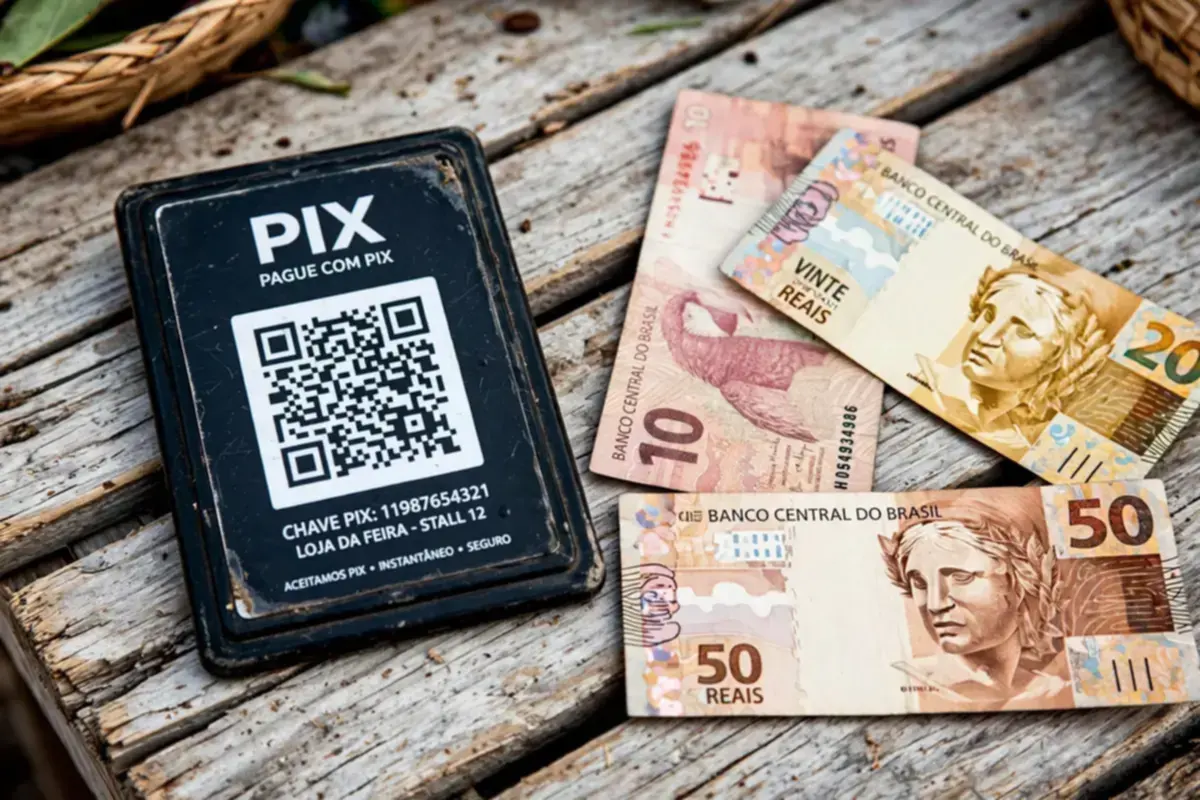
PIX launched in November 2020 and moved payments in Brazil from cash and card terminals to a single interoperable system run by the Central Bank. The QR standard that came with it, BR Code, follows the EMV QR Code pattern also used by payment systems in Asia: the payload is a chain of numbered fields, each with a two-digit ID, a two-digit length and a value. Nothing about the image is proprietary — a code printed by one bank's app is paid through any other bank's app.
What is inside a PIX QR code
The payload is built from TLV fields (tag, length, value) assembled in a fixed order and closed by a checksum. The fields that matter for a static code:
| Field ID | Name | What it holds |
|---|---|---|
| 00 | Payload format indicator | Always 01 |
| 26 | Merchant account information | The GUI br.gov.bcb.pix and your PIX key |
| 52 | Merchant category code | 0000 when unused |
| 53 | Transaction currency | 986 (Brazilian real, ISO 4217) |
| 54 | Transaction amount | Optional; with a dot as decimal separator |
| 58 | Country code | BR |
| 59 | Merchant name | Up to 25 characters, plain ASCII |
| 60 | Merchant city | Up to 15 characters, plain ASCII |
| 62 | Additional data | The transaction id (txid), default *** |
| 63 | CRC16 checksum | Four hexadecimal digits over the whole payload |
Two of those constraints bite people in practice. The name and city fields allow plain ASCII only, so São Paulo encodes as Sao Paulo — a generator that silently keeps the accent produces a code some banking apps reject. And the amount uses a dot, never a comma: 10.50 is correct, 10,50 is not.
The CRC16 checksum, and why it matters
The last four characters of every BR Code are a CRC-16/CCITT checksum computed over the entire payload. When a banking app scans the code it recomputes that checksum and refuses the payment if it does not match. This is what makes a PIX code safe to print: one smeared or altered character breaks the arithmetic and the code fails closed instead of paying the wrong person. It is also why you cannot edit a PIX QR code by hand — change the amount and the checksum no longer matches; fix the checksum and you have built a new code, which is exactly what a generator does for you.
The PIX key: five ways to be paid
The payload carries a PIX key, and a key is one of five things registered with your bank: your CPF, your CNPJ, an email address, a mobile number with the +55 country code, or a random key (a UUID, called EVP). Every key type holds check digits or a fixed shape — a CPF has two verifier digits, an EVP is always a 36-character UUID — so a typo in a key is usually detectable before anything is printed. A code built on a mistyped key does not pay the wrong person; it pays nobody, which the payer's app reports as an unresolvable key.
Copia e cola: the same payload as text
PIX copia e cola (copy and paste) is not a separate format — it is the exact same BR Code payload as a text string. Pasting it into a bank's payment screen fills in the key, name, amount and transaction reference, no scanning needed. The QR image and the copia e cola string are two renderings of one payload, which is why any decent generator gives you both: the image for printed plaques and stickers, the string for WhatsApp ordering and invoices.
Static and dynamic PIX are different products
The codes described so far are static: the payload sits in the printed pattern, works forever, and carries the same amount every time. A dynamic PIX code is created per transaction by a payment institution — the payload contains a URL that resolves to a one-time payment, the amount can be set at the moment of sale, and the code expires once paid. The distinction is regulatory, not technical: minting a payment claim that changes per transaction means moving money on someone's behalf, which only licensed institutions may do. No third-party generator, ours included, can issue dynamic PIX codes.
What a static PIX code cannot do
It cannot tell you when it has been paid, change its amount per sale, or expire. Reconciliation lives in your bank statement and PSP reports. A stall owner confirms payment the same way they confirm cash: by looking at the app.
Where PIX QR codes work best
- Market-stall and kiosk plaques with an open amount for tips and donations
- Counter and window stickers for scan-any-bank payment
- Delivery packaging and invoices carrying the copia e cola string
- Event posters and charity drives with a suggested fixed amount
You can build a static PIX QR code with the copia e cola string in the free PIX QR code generator — key check digits are validated before you print, and the payload is built in your browser. The same section carries generators for the eurozone's EPC (GiroCode) and India's UPI, and the comparison in payment QR codes compared. To make one step by step, read how to create a PIX QR code.